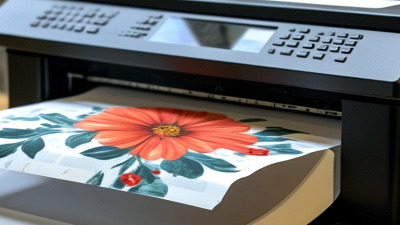
Choosing the right T Shirt Design Machine can shape production speed, print quality, and long-term operating costs. A machine may look impressive in a showroom, yet struggle with fine lettering, dark cotton, or repeated orders. Real performance appears on the workshop floor.
The market is expanding. Grand View Research’s Custom T-shirt Printing Market report estimates that the global market will grow strongly through 2030, supported by personalized apparel and online retail. Smithers’ industry analysis also highlights continued growth in digital textile printing, especially for short runs and on-demand production. These trends matter because buyers now expect vivid colors, quick delivery, and flexible quantities. However, market growth does not make every machine a wise investment.
This guide examines ten practical factors before purchase. They include print technology, fabric compatibility, resolution, maintenance, software, workflow speed, and total ownership cost. A reliable assessment should compare sample prints under real conditions. Test a cotton shirt, a polyester garment, and a detailed graphic. Check the print after washing. Small weaknesses become expensive habits.
No machine is perfect. A lower-priced model may suit a small studio better than an advanced industrial unit. I may also favor simplicity too much when complex production needs automation. That is worth questioning. Manufacturer specifications provide a starting point, not final proof. Independent reviews, service records, warranty terms, and operator experience offer stronger evidence. With these details in view, the following tips can help businesses choose equipment with greater confidence and fewer costly surprises.
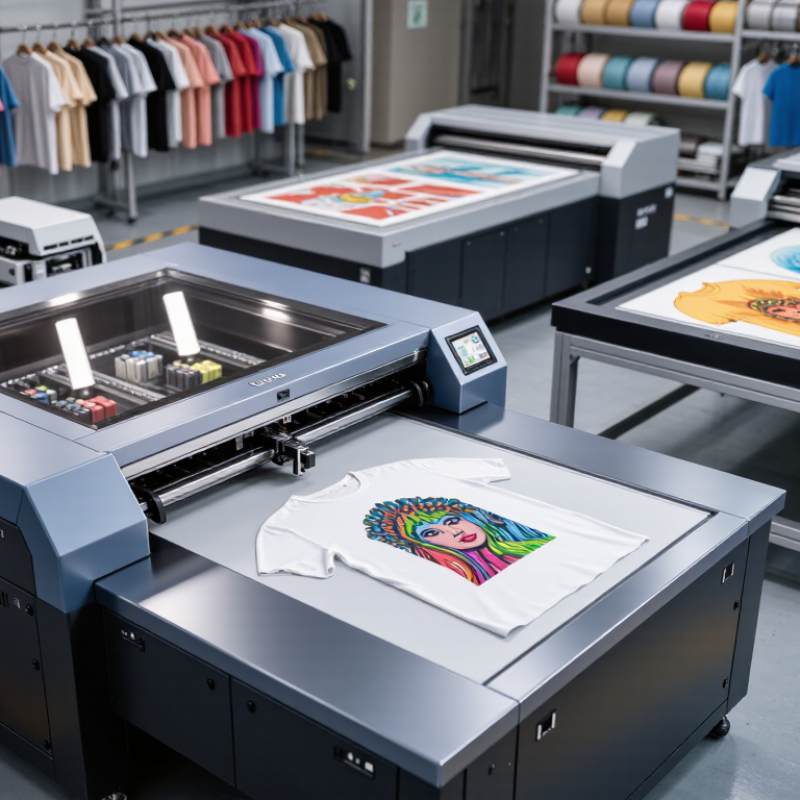
Define your T-shirt production needs before comparing machines. Record your weekly order volume, garment sizes, fabric types, and average design dimensions. A small studio may need a compact system, while a busy workshop requires faster output and reliable drying. Consider your workflow from artwork preparation to packaging. Every step matters.
Tip 1: Track one full production day. Note waiting time, mistakes, cleaning, and material changes. These details often reveal capacity problems better than product specifications.
Tip 2: Test your most difficult fabric before purchasing. Cotton may print smoothly, while blends can absorb ink differently. Dark garments may also require extra preparation and curing time. Ask for sample testing with your actual artwork. Examine fine lines, color consistency, wash durability, and surface feel. Do not judge only the first print.
Tip 3: Measure your workspace carefully. Leave room for loading garments, storing supplies, and handling finished shirts. A machine that fits tightly can slow every order.
Your workflow should match your staff’s real skills. Complicated software, frequent calibration, or demanding maintenance can create hidden labor costs. Choose controls that operators can learn without guessing. Keep written settings for common garments and print sizes. I once underestimated cleanup time, and the daily schedule suffered. That mistake still influences my equipment decisions.
Tip 4: Review maintenance steps, training support, replacement parts, and warranty terms before committing. Reliable production depends on repeatable routines, not impressive speed alone.
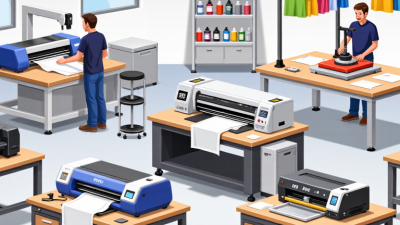
10 Tips for Choosing a T-Shirt Design Machine
Choosing a T-shirt design machine starts with the printing method, not the advertised speed. Screen printing suits large runs and bold colors, but setup time increases for small orders. Direct-to-garment printing handles detailed artwork on cotton with minimal setup. Direct-to-film printing offers broader fabric compatibility, although film, powder, and curing add extra steps. Sublimation creates vivid results on polyester, not ordinary cotton. Not every fabric behaves alike.
Grand View Research estimated the digital textile printing market at about US$3.9 billion in 2023. Its report forecasts a compound annual growth rate above 12% through 2030. Growth shows opportunity, not automatic profitability. Compare printable area, color channels, white-ink circulation, pretreatment, curing, and RIP software. Measure actual output, not brochure speed. A machine rated for 20 shirts per hour may slow after cleaning, maintenance, or reprints. Request production samples. Check them after five washes.
Machine capability also includes daily practicality. Examine platen changes, power use, ventilation needs, software learning time, and spare-part access. A fast printer with difficult maintenance can become expensive quickly. I would not trust one showroom sample. Test dark cotton, fine lettering, stretch fabric, and a full-color image. Smithers’ textile printing outlook also identifies digital production as a strong-growth area, but forecasts cannot predict every workshop’s results. Sometimes, the simpler machine wins.
| Tip | Printing Method | Core Machine Capability | Suitable Fabrics | Design and Color Performance | Typical Production Profile | Best Use | Key Limitation |
|---|---|---|---|---|---|---|---|
| 1 | Direct-to-Garment (DTG) | Prints water-based ink directly onto a prepared garment using an inkjet print head. | Cotton and cotton-rich fabrics; light garments usually require less pretreatment. | Excellent for photographs, gradients, fine details, and many colors without screen setup. | Efficient for one-off orders and short runs; each garment can have a different design. | Custom orders, artwork-heavy shirts, and print-on-demand work. | Requires pretreatment and heat curing; printing speed is generally slower for large batches. |
| 2 | Direct-to-Film (DTF) | Prints a design onto coated film, applies adhesive powder, and transfers it with a heat press. | Cotton, polyester, blends, and many dark or light garments. | Produces vivid colors, white ink layers, and detailed graphics with a soft-to-medium hand feel. | Works well for short and medium runs; transfers can also be prepared in advance. | Mixed fabric orders, colorful logos, and versatile garment decoration. | Needs film, powder, curing equipment, ventilation, and careful powder handling. |
| 3 | Sublimation | Uses heat to convert dye into gas so it bonds with polymer fibers or a coated surface. | White or light-colored polyester and specially coated hard goods. | Delivers sharp, breathable, full-color images with no raised ink layer. | Suitable for individual products and production batches; transfer and heat-press steps are required. | Sportswear, all-over polyester designs, and photographic graphics. | Not suitable for standard cotton shirts; colors cannot be transferred effectively onto dark garments. |
| 4 | Screen Printing | Pushes ink through a prepared stencil screen, normally using one screen for each color. | Most textiles, including cotton, polyester, and blends, with appropriate ink selection. | Produces durable, opaque colors and strong solid shapes; halftones and process colors require added setup. | Most cost-effective for larger quantities with the same design; setup time is significant. | Bulk orders, simple artwork, uniforms, and designs with limited colors. | Less economical for single items or highly detailed, multicolor photographic designs. |
| 5 | Heat Transfer Vinyl (HTV) | Cuts colored vinyl with a plotter and bonds the weeded design to fabric using heat and pressure. | Cotton, polyester, blends, and specialty fabrics, depending on vinyl specifications. | Strong solid colors and clean lettering; layered vinyl can create multicolor designs. | Practical for names, numbers, small graphics, and short personalized runs. | Team apparel, uniforms, labels, and simple text-based designs. | Weeding can be labor-intensive; fine details and large multicolor images are less efficient. |
| 6 | Embroidery | Stitches thread into the garment using a computerized needle and hoop system. | Polos, jackets, caps, sweatshirts, and medium-to-heavy fabrics. | Creates a premium textured appearance; artwork must be digitized and simplified for stitching. | Good for repeat orders and durable branding; setup includes digitizing and hooping. | Workwear, uniforms, caps, and small logos. | Not ideal for photographs, very large graphics, thin fabrics, or highly detailed small text. |
| 7 | Choose a Practical Print Area | Check platen, hoop, or transfer dimensions and confirm the maximum printable or stitchable area. | Depends on garment size, garment construction, and the selected decoration method. | Large print areas require suitable resolution, stable garment positioning, and adequate curing coverage. | Oversized designs may reduce throughput and require larger platens or multiple placements. | Selecting a machine that matches front, back, sleeve, pocket, or all-over requirements. | Advertised maximum dimensions may not represent the most reliable everyday production area. |
| 8 | Evaluate Color and Ink Management | Review white-ink circulation, nozzle maintenance, cartridge capacity, color profiles, and software control. | Ink and consumables must match the fabric type and the decoration process. | Color consistency depends on print resolution, profiling, pretreatment, curing, and regular maintenance. | Higher automation can reduce operator intervention but may increase equipment and consumable costs. | Businesses that need repeatable color quality and predictable production. | Neglected maintenance can cause blocked nozzles, uneven white ink, color shifts, or downtime. |
| 9 | Compare Workflow and Production Speed | Assess loading time, automatic alignment, curing time, transfer steps, software workflow, and operator requirements. | Production speed varies with garment color, design coverage, fabric, and curing method. | High-coverage and multicolor artwork generally takes longer than small, simple graphics. | Automation improves repeatability; manual workflows may be affordable but require more labor. | Matching the machine to daily order volume and available staff. | Quoted maximum speed may be based on draft settings or small designs rather than finished products. |
| 10 | Calculate Total Operating Requirements | Consider software, pretreatment, curing, ventilation, power, maintenance, consumables, and operator training. | Operating requirements depend on the method, garment type, ink, adhesive, and finishing process. | Consistent quality requires correct artwork preparation, color management, curing, and wash testing. | Low purchase price does not necessarily mean low cost per finished shirt. | Making a long-term purchase decision based on real production conditions. | Ignoring auxiliary equipment and maintenance can lead to higher costs and inconsistent results. |
Note: Actual results vary according to garment composition, artwork coverage, machine settings, consumables, operator skill, and finishing conditions. Always test print quality and wash durability before starting regular production.
Choosing a T-shirt design machine starts with the fabric, not the machine’s appearance. Cotton, polyester, blends, and stretchy performance fabrics absorb ink differently. A machine that performs well on cotton may produce dull colors on polyester. Check its documented fabric range, recommended pretreatment, and curing requirements before purchasing. Ask for test prints using the exact shirts you plan to sell.
Print quality depends on more than resolution. Examine edge sharpness, color density, wash durability, and fine detail. Print a small logo, a photograph, and thin lettering. Then wash each sample several times. Look for cracking, fading, bleeding, or a stiff surface. Hands-on testing reveals problems that showroom samples can hide. Keep a written record of settings, fabric weight, ink usage, and drying time. This makes results easier to repeat.
Fabric compatibility also affects production speed and maintenance. Heavy cotton may need different pretreatment than a lightweight blend. Uneven surfaces can weaken small details. Stretch fabric may require flexible ink or a modified curing profile. Follow the machine’s technical guidance, but verify it in your own workspace. One easy mistake is assuming a softer shirt will print better because it feels smoother. It may not. Color can look attractive before washing, then lose strength around the seams. Judge quality after laundering, not only under bright showroom lights. Leave room for testing. Real garments are less predictable than specifications.
Choosing a T-shirt design machine requires more than checking print speed. Grand View Research valued the custom T-shirt printing market at about $5.1 billion in 2022, with projected growth of 11.1% annually through 2030. That growth makes reliable workflow design increasingly important.
Tip 1: Test the software with a real artwork file. Check color controls, font handling, nesting, and export formats. Tip 2: Prefer clear menus and useful error messages. Tip 3: Confirm compatibility with your operating system. Tip 4: Ask whether updates are regular and documented. A beautiful interface cannot fix unstable color management. I learned that the hard way. Tip 5: Request a short operator trial before purchase. Measure setup time, not just advertised output speed.
Tip 6: Inspect access to printheads, filters, belts, and ink lines. Tip 7: Confirm maintenance schedules in writing. Smithers’ digital textile printing research identifies productivity and process reliability as major adoption factors. Tip 8: Check whether replacement parts and technical support are available locally. Tip 9: Review safety features, including guarded moving parts, emergency stops, ventilation guidance, and electrical protection. OSHA’s annual enforcement data continues to place machine guarding among its most frequently cited standards. Tip 10: Train every operator and record cleaning, inspections, and faults. Do not bypass an interlock to save minutes. Safety shortcuts often become expensive habits.
Practical evaluation benchmarks for software, usability, maintenance, safety, and output quality
Use a 1–5 score for each category when comparing machines: 1 means poor performance and 5 means excellent performance. Safety should receive the highest priority, while intuitive software, simple operation, low maintenance effort, and consistent output help reduce training time and operating costs.
The purchase price is only the visible number. Build a 12-month cost sheet covering ink, transfer film, pretreatment, electricity, maintenance, software, labor, packaging, and waste. Smithers’ digital textile printing market analysis identifies shorter runs and customized production as major growth drivers. That flexibility has value, but small orders can expose hidden costs quickly. A machine that saves one hour daily may still lose money if consumables are expensive or cleaning uses excessive ink.
Ask suppliers for a written cost-per-shirt estimate based on your artwork, fabric, and monthly volume. Request sample prints, ink coverage assumptions, replacement-part prices, and expected maintenance intervals. FESPA’s 2023 Print Census highlights rising operating costs as a continuing concern for print businesses. Therefore, compare energy use and service fees, not only print speed. Measure the waste bin after a real production test.
It is not glamorous.
Supplier support deserves equal attention. Confirm response times, remote diagnosis, installation training, warranty limits, and technician availability in your region. A low-cost machine can become expensive during a three-day production stoppage. Ask whether training includes color management, nozzle checks, pretreatment, and workflow troubleshooting. Also speak with current users, preferably those with similar order volumes. Their experience may reveal delays that sales documents omit. I would budget for one unexpected repair each year, even if the supplier promises excellent reliability. Planning is imperfect, but ignoring risk is worse.