Leave Your Message

How to Choose the Best Logo Printing Machine?

Choosing the right Logo Printing Machine begins with the application, not the advertised speed. A machine that produces sharp cotton logos may struggle with polyester, coated metal, or uneven promotional products. The decision becomes more important as personalized merchandise expands. Grand View Research projects the global custom t-shirt printing market to grow at an 11.1% compound annual growth rate from 2024 to 2030. Smithers’ The Future of Digital Textile Printing to 2028 also identifies shorter runs, customization, and faster design changes as major market drivers.

Benny Landa, founder of Landa Digital Printing, famously said, “Everything that can be digital will be digital.” His observation matters here. Digital systems can reduce setup time and support detailed, variable logo designs. However, digital is not automatically better. Screen printing may still deliver stronger efficiency for large, repetitive orders. A good choice depends on volume, material, color count, curing requirements, and available floor space.

Look closely at real production details. Can the machine print a clean two-centimeter logo? Does white ink remain stable overnight? How much ventilation does curing require? Ask for sample tests using your actual fabric or product. Review ink costs, maintenance intervals, operator training, warranty coverage, and local technical support. These costs often hide behind an attractive purchase price.

No machine wins every job. That assumption is expensive. Even published performance figures can reflect ideal conditions rather than daily production. A reliable evaluation should compare finished samples, running costs, downtime records, and realistic order sizes. This guide explains how to assess those factors before choosing a Logo Printing Machine with confidence.
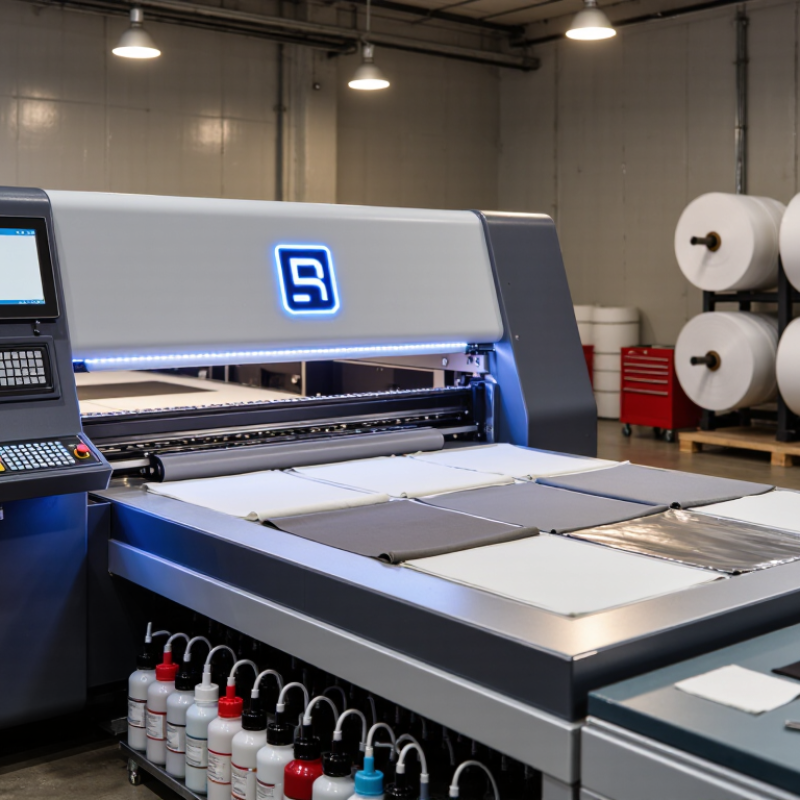
How to Choose the Best Logo Printing Machine?

Understand the Main Types of Logo Printing Machines

Choosing the best logo printing machine starts with understanding its printing method. Screen printing machines push ink through a mesh stencil. They work well for large orders, simple logos, and cotton garments. The colors look solid and durable. However, setup takes time, especially when a design uses several colors.

Digital UV flatbed machines print directly onto rigid surfaces, such as acrylic, wood, metal, and coated plastic. They handle detailed artwork without making separate screens. Small businesses often prefer them for short runs and customized products. Heat transfer machines use printed films or transfer paper with controlled pressure and temperature. They suit shirts, bags, and irregular production sizes. Direct-to-garment machines print ink onto fabric, while sublimation systems work best with polyester materials.

In my workshop experience, material testing prevents expensive mistakes. A logo can look sharp on a sample but fade on textured fabric. I once underestimated curing time, and the ink remained slightly tacky. That failure changed my checking process. Ask about print width, drying requirements, cleaning work, and daily output. Request samples on your actual product, not only smooth test sheets. A faster machine may waste money if operators struggle with maintenance. Also inspect color consistency, ventilation needs, and replacement-part availability before purchasing. Small details matter.
Match Printing Methods to Different Logo Materials

How to Choose the Best Logo Printing Machine?
Match Printing Methods to Different Logo Materials

A logo machine should match the material before it matches your budget. For cotton shirts, direct-to-garment printing creates soft, detailed graphics. Transfer printing suits polyester, jackets, and uneven fabric surfaces. Screen printing remains practical for large batches with bold, simple artwork. For rigid materials, UV flatbed printing works well on acrylic, wood, metal, glass, and coated plastics. It deposits ink directly and cures it quickly. Smithers’ The Future of Digital Print to 2028 forecasts the digital print market will exceed 230 billion US dollars by 2028. That growth reflects demand for short runs and personalized products.

Test adhesion, color, and surface durability. A bright sample can still peel after washing. A smooth metal panel may need cleaning, coating, or primer. Laser marking can create a permanent effect on some metals and wood, but it is not suitable for every plastic. Production trials often expose the uncomfortable truth: the most expensive machine may be the wrong tool. FESPA’s 2023 Print Census reported that 57% of printers planned to invest in digital equipment. Investment is increasing. Mistakes are costly.

Tips: Prepare small samples from every target material. Check ink adhesion after 24 hours. Wash fabric samples repeatedly. Measure curing temperature and print speed. Ask for independent test results, not only sales samples. Also inspect maintenance access. A machine that prints perfectly but requires difficult cleaning may reduce production more than expected.

How to Choose the Best Logo Printing Machine? - Match Printing Methods to Different Logo Materials

Logo Material or Product Recommended Printing Method Suitable Machine Type Typical Finish Durability Production Efficiency Main Advantages Important Limitations
Cotton, canvas, and other absorbent textiles Screen printing Automatic or manual screen-printing press with a drying or curing unit Opaque, bold, slightly raised ink layer High when the ink is properly cured; suitable for repeated washing Very high for medium and large runs Strong color coverage, low unit cost at volume, and excellent color consistency Requires screens and setup; less economical for highly detailed, multi-color short runs
Polyester garments and performance fabrics Dye-sublimation or low-bleed screen printing Dye-sublimation printer with heat press, or textile screen-printing press Soft, dye-infused image for white or light polyester; opaque print for dark fabrics Very high for sublimation because the image becomes part of the fiber High for customized items; screen printing is faster for large batches Excellent for gradients, photographs, all-over graphics, and sportswear Sublimation is generally limited to polyester or polymer-coated surfaces and works best on light colors
Leather, faux leather, wood, and coated paper Laser engraving or laser marking CO₂ laser for many organic materials; fiber laser mainly for metals Permanent engraved, darkened, or tone-on-tone mark High because the design is physically etched into the surface High for variable logos and small to medium batches No ink or screen preparation; precise personalization and clean fine details Color options are limited; heat, smoke, and ventilation requirements must be controlled
Metal products and anodized aluminum Fiber laser marking or screen printing Fiber laser marker; screen-printing press for colored logos Precise engraved or color-printed surface mark Very high for laser marking; screen-printed ink depends on pretreatment and curing High for laser marking and repeatable batch work Excellent contrast on anodized aluminum and permanent marks on many bare metals Laser color range is limited; reflective metals may need suitable settings or marking compounds
Glass, ceramic, acrylic, and rigid coated surfaces UV flatbed printing UV LED flatbed printer with adjustable vacuum table or fixtures Sharp, full-color, raised or layered ink finish High for indoor use; outdoor durability depends on ink, surface preparation, and protective coating High for short and medium runs with changing artwork Prints directly on many rigid materials and supports white ink and variable data Adhesion testing is essential; curved or uneven products may require special fixtures
Plastic bottles, caps, pens, and irregular small items Pad printing Pneumatic or servo pad-printing machine with silicone pad and engraved plate Thin, clean ink transfer that follows moderate curves Medium to high, depending on plastic type, ink system, and curing Very high for repeated small-part production Handles curved, concave, and uneven surfaces better than many direct-print methods Small print area and plate preparation are required; very large graphics are unsuitable
Paper, labels, cardboard, and promotional packaging Digital inkjet, toner, flexographic, or offset printing Digital label or sheet printer for short runs; flexographic or offset press for high volumes Flat, sharp, full-color printed image Medium; lamination or varnish can improve resistance to moisture and abrasion Digital is efficient for variable or short runs; conventional presses suit large volumes Wide color capability, fast artwork changes, and efficient variable-data printing Uncoated paper can absorb ink; the best process depends on substrate, quantity, and color requirements
Glass, metal, plastic, and coated promotional items requiring full color Direct-to-object UV printing UV flatbed or cylindrical UV printer with product-specific fixtures High-resolution, full-color image with optional white and gloss layers Medium to high, subject to adhesion, handling, and exposure conditions High for customized and short-to-medium production runs Suitable for photographic detail, quick design changes, and layered visual effects Some surfaces require primer or pretreatment; cylindrical items need accurate rotation control
Garments and fabric items needing flexible personalization DTF transfer printing or heat-transfer vinyl DTF printer with powder-shaking and curing unit plus heat press, or vinyl cutter and heat press Flexible transfer film with detailed, colorful graphics High when temperature, pressure, and curing are correctly controlled High for small and customized orders Works on many fabric colors and supports complex logos without screen preparation The transfer may feel different from direct ink; wash-care and correct pressing conditions affect service life
Selection Tip: Choose the machine according to the material’s surface, shape, required durability, logo complexity, color count, and production volume. Always perform an adhesion, abrasion, and wash test on the actual material before starting regular production.

Compare Key Features, Print Quality, and Production Speed

How to Choose the Best Logo Printing Machine?

A reliable logo printing machine should match your materials, artwork, and daily order volume. Start by checking supported surfaces, such as fabric, metal, plastic, or coated packaging. A clear test print reveals more than a sales specification. Inspect small text, curved edges, color consistency, and ink adhesion after rubbing. Sharp details matter.

Print quality depends on resolution, ink control, curing, and material preparation. Ask for samples using your actual logo and substrate. Fine lines may look excellent on paper but weaken on textured fabric. UV curing can improve surface durability, while heat-based systems may suit selected textiles. Do not judge color under one lamp. Daylight and indoor lighting can show different results.

Production speed needs careful measurement. Compare finished pieces per hour, not only the machine’s maximum movement rate. Include loading, alignment, drying, cleaning, and occasional reprints. A slower machine may reduce waste when quality checks are strict. I once focused too heavily on advertised speed and underestimated setup time. That mistake made the workflow less efficient. Leave room for maintenance, operator learning, and unexpected color adjustments. Check whether the control software records settings and detects print errors before a full batch starts.

Evaluate Costs, Maintenance, and Ease of Operation

Choosing a logo printing machine requires more than comparing purchase prices. Calculate the full cost over three years: machine, ink, electricity, software, training, and downtime. The U.S. Bureau of Labor Statistics reported a median annual wage of $63,510 for industrial machinery mechanics in May 2023. This makes unnecessary service calls expensive. A cheaper machine may become costly when operators need constant technical support.

Maintenance details matter. Ask how often printheads, filters, curing lamps, and rollers require replacement. The U.S. Department of Energy reports that compressed-air systems can lose 20% to 30% of their output through leaks. Machines using pneumatic components therefore deserve careful energy checks. Request service intervals, spare-part prices, and average repair times in writing. Test the control panel with an untrained operator. Can they load artwork, adjust alignment, and clean the system without opening a manual every five minutes?

Ease of operation is not a luxury. Smithers’ industry analysis continues to identify digital printing as a growth area, partly because shorter runs and faster customization are increasingly important. Choose a machine that reduces setup steps and records maintenance alerts automatically. Yet software demonstrations can look too perfect. Bring your own logo files, including small text and uneven colors, during testing. A practical decision may still involve compromise. The fastest model is not always the easiest one to maintain.

Choose a Machine That Fits Your Business Requirements

How to Choose the Best Logo Printing Machine?

Choose a machine that fits your business requirements, not simply the fastest model available. Start by measuring your monthly order volume, typical logo size, and preferred materials. A small workshop may need a compact machine for cotton bags, labels, or boxes. A busy production floor may require faster output, automatic feeding, and stable color control. Check the machine’s working area carefully. A sample logo that looks perfect on a screen may lose detail on textured fabric. Request a physical test before purchasing.

Tips: List your daily production needs. Compare power use, maintenance time, printing speed, and operating costs. Confirm that trained staff can use the controls safely. Ask about spare parts, service support, and cleaning procedures. These details often affect reliability more than attractive specifications.

My early mistake was focusing too much on resolution. It looked impressive. However, frequent cleaning and slow setup reduced our actual productivity. Measure the full workflow, including drying, inspection, packaging, and reprints. Leave space around the machine for ventilation and operator movement. Choose software that your team can learn without constant technical help. A machine with fewer advanced features may be better for a growing business. Reconsider the choice after testing real materials, not only demonstration samples.

How to Choose the Best Logo Printing Machine?

Choose a machine that fits your business requirements, including production volume, setup time, material range, and order type.

The chart shows representative small-business operating figures for common logo-printing methods. Screen printing is generally more efficient for large repeat orders, while DTF, UV flatbed printing, and laser engraving are better suited to short runs, customization, and different material requirements. Actual output depends on artwork complexity, product size, curing or finishing time, and operator experience.