How to Choose the Best Screen Printing Screen Printer?
Choosing a Screen Printing Screen Printer is not just a matter of comparing prices or counting print stations. The right setup should suit your products, order sizes, available workspace, and production pace. A small shop printing short runs may value quick setup and a compact footprint. A busy apparel line may need precise registration, steady output, and comfortable access to each station. As screen-printing educator Scott Fresener’s practical guidance can be paraphrased: “Choose equipment for the work you print regularly, not only the work you hope to win.” This is a summary, not a verbatim quotation.
Look closely at the details that affect real jobs: frame compatibility, platen stability, adjustment range, replacement-part access, and the time needed to clean and reset the machine. Ask suppliers how the press performs with your garment sizes and ink types, and request a demonstration using a comparable setup. A smooth showroom cycle can hide awkward adjustments. Small details matter. I would also challenge one common assumption: more stations do not automatically mean better productivity. A poorly matched press can take up valuable floor space and slow a careful operator. No checklist replaces a hands-on test, and even experienced buyers can overlook workflow constraints. The sections ahead explain how to compare press types, inspect build quality, evaluate support, and match a machine to your budget without treating the lowest quote as the whole answer.
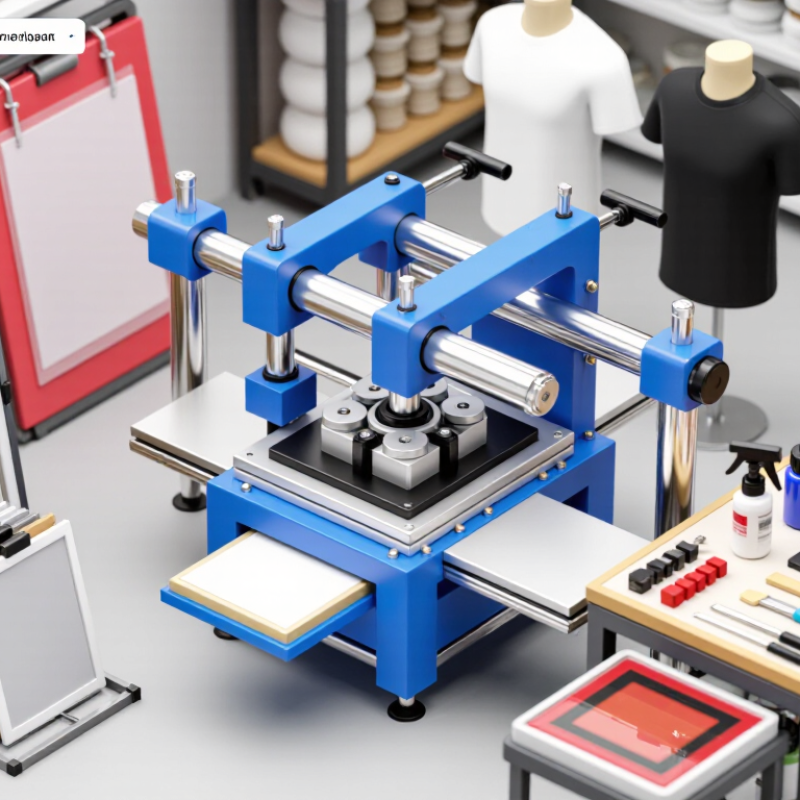
Define Your Screen Printing Needs and Production Goals
Before comparing screen printing equipment, write down what you will print and how often. List garment types, fabric weights, print locations, and the largest design size. Note your usual color count, plus occasional complex jobs. Be specific. A small chest logo on cotton differs from a wide, multicolor image on performance fabric.
Estimate weekly output using sellable pieces, not the fastest advertised cycle. Include setup, registration, loading, curing, and cleanup; these tasks take real minutes. If orders fluctuate, record both a typical week and a busy week. Your first estimate may be wrong. That is useful. Recheck it against recent invoices or job sheets before choosing manual, semi-automatic, or automatic equipment.
Production goals should include more than speed. Decide how much floor space, staffing, training, and maintenance time you can support. Ask whether the press can handle your largest platen, preferred screen sizes, and planned color stations. Check power requirements and curing capacity too, since a fast press cannot fix a slow dryer. Leave room for change. If you expect new fabrics or larger runs, compare those needs now, but avoid paying for capacity you may never use.
Compare Screen Printer Types and Their Best Uses
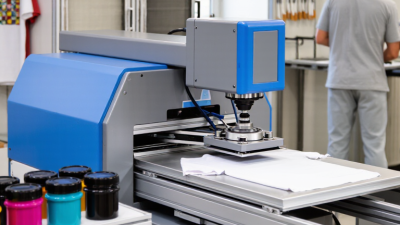
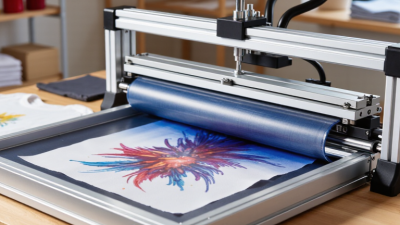
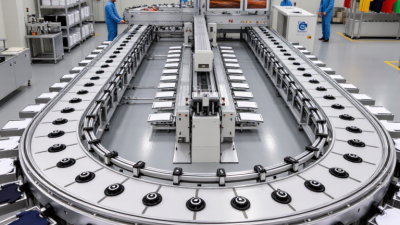
Manual, automatic, and tabletop presses solve different production problems. A manual press suits short runs, samples, and changing artwork; the operator controls each pull, but output depends heavily on skill and stamina. A tabletop unit saves floor space for a small studio, though its compact setup can limit garment size and throughput. For steady, high-volume orders, an automatic press offers repeatable registration and faster cycles. It also needs more floor space, setup time, and budget. Choose by job mix, not by maximum speed alone.
FESPA’s 2023 Print Census gathered responses from 1,148 print businesses worldwide, reflecting a varied industry rather than one universal production setup. Smithers’ report, The Future of Digital Textile Printing to 2027, also tracks growth in digital textile output—a useful reminder to consider hybrid workflows when artwork changes often. Screen printing still makes practical sense for repeat designs and larger batches; automatic presses can keep those runs consistent, while a manual press may be more sensible for occasional orders. Check platen size, color capacity, changeover time, and available space before buying. Ask for a live test with your own garment and ink. Small details matter. A worn screen or uneven pressure can spoil an otherwise suitable setup. I’d still test one awkward job before deciding.
Evaluate Capacity, Print Quality, and Operating Costs
A screen printer’s advertised speed is only a starting point. Compare it with your real order mix: garment size, ink colors, and daily run length. A machine that handles six colors may still slow down when screens need frequent changes. Ask for a timed demonstration using a job close to yours, including loading, registration, and unloading. Count good prints, not just strokes per hour. Small details matter.
Print quality depends on stable registration, consistent pressure, and a curing setup matched to the ink. Inspect samples on your own fabric, especially fine lines, small type, and solid areas. Check whether colors stay aligned across a full run, not only on the first shirt. Ask how operators monitor screen tension and squeegee wear. A crisp sample is useful, but one sample proves little.
Operating cost includes more than the purchase price. Estimate spending on screens, emulsion, ink, replacement parts, electricity, training, and labor during changeovers. A lower-priced machine can cost more over time if adjustments cause frequent delays or reprints. Compare service needs and expected downtime as well. Leave room in your estimates; setup times rarely behave perfectly on busy days.
Check Setup Requirements, Training, and After-Sales Support
How to Choose the Best Screen Printing Screen Printer?
Check Setup Requirements, Training, and After-Sales Support
Before choosing a screen printer, match its setup requirements to your workspace and production plans. Check the machine’s footprint, power supply, ventilation needs, and clearance for loading screens. Ask how much room operators need to move safely around the press. A compact machine may look ideal, but cramped access can slow routine adjustments. Request a written setup checklist, including any tools or work surfaces you must provide.
Tips: Ask for a sample setup plan. Confirm who handles installation, how long training takes, and whether new staff can attend. Have the seller explain one everyday task, such as setting registration or adjusting pressure. Clear answers matter. Vague promises do not.
Training should cover practical tasks, not just a quick demonstration. Operators need to learn setup, cleaning, basic troubleshooting, and safe shutdown procedures. Ask whether instructions are available in writing or video. After-sales support deserves the same attention. Find out how to contact a technician, what response times are typical, and whether common replacement parts are readily available. A printer can be reliable and still need adjustment. That part is easy to overlook. Consider asking for references from shops with similar workloads, then compare their feedback with the seller’s claims.
Match Printer Features to Your Budget and Future Plans
A screen printer should fit the work you can sell now, not just the work you hope to attract. Start with weekly order volume, typical garment size, ink colors, and available floor space. A small manual press costs less and leaves room in the budget for screens, ink, and training. But hand-printing a large run can consume hours. Check platen size, station count, registration controls, and whether the frame setup can handle your usual designs.
Future demand matters, but forecasts are not purchase orders. Grand View Research estimated the global custom T-shirt printing market at USD 5.09 billion in 2022 and projected 11.5% annual growth from 2023 to 2030. That signals opportunity, not guaranteed sales for any one shop. If you expect larger runs, compare automatic presses by output, power needs, maintenance access, and operator training—not speed alone. Ask suppliers for a live demonstration using a design similar to yours. Watch the setup and cleanup, too.
Leave some budget for the less exciting parts. Screens need storage; exposure and drying equipment need space. I would not buy maximum capacity on day one. Still, choosing a press that cannot expand may cost more later. A basic cost worksheet helps: estimate monthly orders, labor time, consumables, and payments. Revisit the numbers after a few months. The first estimate may be wrong, and that is useful to notice.