Oval Printing Machine selection begins with the shape, material, and daily volume of the products you actually run. Oval containers can demand careful handling: a bottle must stay aligned while the screen prints across its curved surface. A small shift can blur an edge or leave uneven coverage. Details matter.
Industry reports offer useful context, but not a ready-made buying decision. Smithers’ The Future of Global Printing to 2028 examines market trends, including technology and production changes. FESPA’s Print Census 2023 also explores print businesses’ investment priorities. Together, these reports point buyers toward practical questions: Can the machine meet output targets? How quickly can operators change jobs? Are spare parts and service available locally? A glossy specification sheet cannot answer everything.
Technology is changing print. Benny Landa, founder of Landa Digital Printing, is widely quoted as saying, “Everything that can become digital, will become digital.” That observation is relevant to automation, but it does not make every digital feature essential. For oval printing, inspect registration accuracy, fixture stability, setup time, and sample quality. Ask to see a test run on your own container. Watch closely.
This guide compares ten machines for global buyers, with attention to production needs, operating flexibility, and supplier support. Some specifications may look impressive yet prove difficult to verify. That deserves scrutiny. A careful shortlist starts with measurable requirements, not promises.
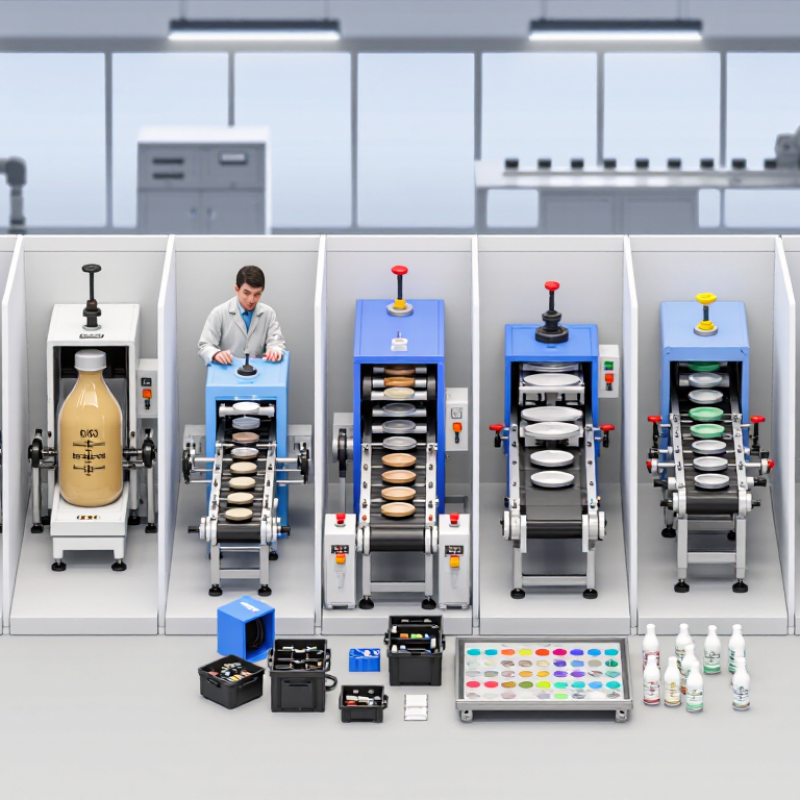
An oval printing machine is a screen-printing system built around a loop-shaped track. Garments sit on flat pallets that travel between several print stations. At each station, a screen holds the design, while a squeegee pushes ink through open mesh onto the fabric. The oval layout lets operators load and unload items while other pallets are being printed. That can keep production moving. It also makes setup important: a slightly skewed garment may leave a visible misalignment across several colors.
Tips: Check that pallets sit level and screens register correctly before a full run. Print a test garment first. Note ink thickness, pressure, and curing settings; small changes can alter the result.
Some machines index pallets automatically, stopping them beneath each screen in sequence. An operator can set different colors at separate stations, with flash curing between layers when the ink process requires it. After the final print, the garment typically passes through a curing unit so the ink can bond properly. Watch the first few pieces closely. Heat can vary, and fabric stretch is easy to underestimate. Even a reliable setup may need adjustment when the material or artwork changes.
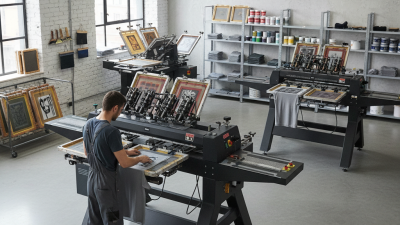
Key Components and Printing Processes of Oval Machines
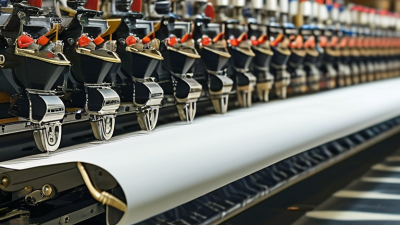
An oval printing machine moves garments around a loop of connected pallets. Its main components include the conveyor, print stations, screens, squeegees, and control panel. Each pallet holds a shirt flat while the machine indexes it to the next station. Accurate registration keeps each color aligned, especially on small lettering or fine outlines. Alignment matters. A slight shift can leave a visible edge.
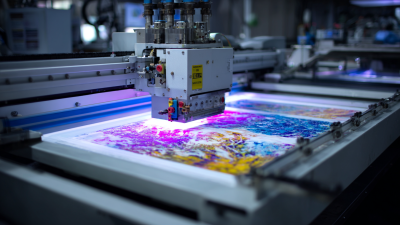
At each station, a screen carries the image stencil, and a squeegee pushes ink through its open areas onto the fabric. The machine may pause between colors, or use multiple stations to print several colors in sequence. Flash curing can partially dry an ink layer before another color is applied. The final cure depends on the ink and fabric, so operators should verify settings rather than rely on guesswork. In practice, setup is rarely perfect on the first pass.
Tips: Check pallet level, screen tension, and squeegee pressure before a production run. Print a test garment and inspect edges, color coverage, and registration under good light. Small shifts show. Clean screens and remove ink buildup between jobs; even careful operators can miss residue near the frame. Keep a simple record of settings, since repeating a successful setup may still require adjustment when fabric thickness changes.
The chart shows the typical order of a garment screen-printing workflow on an oval press. Underbase printing and flash curing are used when the design or ink system requires them. Bar length indicates process order, not cycle time or machine capacity.
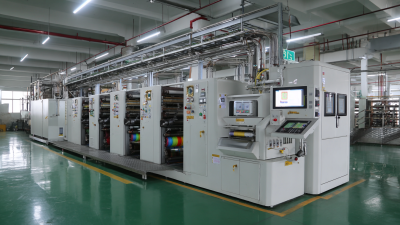
Ten oval printing machines for global buyers can serve very different production needs. A manual oval press suits small runs and hands-on shops. Semi-automatic models reduce repetitive loading, while fully automatic systems support steadier output when orders are consistent. Compact frames help where floor space is tight. Extended oval layouts allow more stations or longer workflows. Fit matters.
Other configurations include single-color machines for simple graphics, multi-color presses for layered designs, and dedicated garment systems with loading pallets shaped for sleeves or other narrow areas. Some machines prioritize quick screen changes; others emphasize station capacity. A hybrid setup may offer useful flexibility, though it can take longer to configure. Buyers should compare the actual work cycle, not just the station count.
Ask suppliers for a live demonstration using a garment similar to yours. Watch how the fabric is loaded, how the screen clears, and whether registration stays steady across repeated passes. Check available power requirements, installation space, operator access, and spare-part support in your region. A spec sheet can still hide awkward cleaning or slow changeovers. Even experienced teams can overlook those details. Request a written production estimate based on your artwork, materials, and target shift length, then verify it with a sample run.
This comparison ranks common oval automatic screen-printing configurations for apparel production. Specifications are indicative planning ranges, not guaranteed specifications for a particular machine; confirm the final print area, station layout, power supply, and production rate with the equipment supplier.
| Rank | Oval Machine Configuration | Typical Station Layout | Indicative Maximum Print Area | Suitable Applications | Buyer Considerations |
|---|---|---|---|---|---|
| 1 | Compact entry-level oval automatic press | 8–10 stations; commonly 4–6 print heads | Approximately 40 × 50 cm | Small and medium apparel runs, single-color and basic multicolor jobs | Check whether the layout leaves enough stations for loading, unloading, and flash curing. |
| 2 | Mid-size production oval press | 10–12 stations; commonly 6–8 print heads | Approximately 45 × 55 cm | T-shirts, sweatshirts, workwear, and regular contract-printing jobs | A practical balance of floor space, color capacity, and production flexibility. |
| 3 | High-color-count oval press | 12–16 stations; commonly 8–12 print heads | Approximately 45 × 60 cm | Multicolor graphics, simulated-process artwork, and larger batch orders | Verify registration adjustment, screen access, and the number of usable print stations. |
| 4 | Large-format oval press | 10–16 stations; head count varies by layout | Approximately 50 × 70 cm | Oversized garment prints, large panels, and wide-format designs | Confirm platen dimensions, screen-frame clearance, and available workshop space. |
| 5 | Oval press with integrated flash positions | 10–14 stations; one or more flash locations | Approximately 40 × 50 cm | Multicolor textile printing where intermediate ink curing is required | Check flash compatibility, electrical load, heat control, and safe operator access. |
| 6 | Hybrid manual-and-automatic oval system | 8–12 stations; automatic indexing with selected manual operations | Approximately 40 × 50 cm | Shops moving from manual presses to repeatable production workflows | Ask which functions are automated and how changeovers are handled. |
| 7 | Oval press with quick-change platens | 10–14 stations; interchangeable platen options | Approximately 40 × 50 cm, depending on platen | Mixed garment sizes, sleeves, youth apparel, and specialty placements | Confirm platen availability, mounting compatibility, and changeover time. |
| 8 | Heavy-duty oval production press | 12–16 stations; typically configured for continuous shifts | Approximately 45 × 60 cm | High-volume apparel production and repeat orders | Evaluate frame rigidity, service access, spare-parts availability, and maintenance needs. |
| 9 | Compact oval press for limited-floor-space facilities | 8–10 stations; compact machine footprint varies by design | Approximately 35 × 45 cm | Start-up shops, smaller production rooms, and standard-size garment prints | Request a complete layout drawing that includes operator and curing-equipment clearance. |
| 10 | Configurable oval press for mixed production | 10–16 stations; print heads and auxiliary positions selected to order | Approximately 40 × 60 cm | Facilities handling changing order sizes, artwork, and garment types | Compare the standard configuration with optional heads, platens, controls, and curing units. |
Note: Print area and station counts vary by machine design. Actual output depends on artwork, colors, operator workflow, curing requirements, garment loading, and the press setup; request a production test using representative jobs before purchase.
For global buyers, an oval printing machine should be judged by usable output, not its station count alone. Compare the number of print heads, pallet size, and available loading space. Then ask how many garments the machine can produce during a real shift. The quoted maximum may assume ideal loading and no pauses. Numbers can mislead. Request a timed demonstration using a similar garment and ink system.
Print quality depends on more than the machine’s frame. Check registration after repeated indexing, especially on multicolor designs. Look for consistent squeegee pressure and even ink coverage across the full print area. Small shifts can show up clearly on fine outlines. Ask how operators adjust settings for different fabric thicknesses. A sample run helps, though one perfect sample proves little about an entire shift.
Automation can reduce repetitive work, but it cannot fix every process problem. Compare automatic indexing, programmable settings, and alerts for missed cycles. Confirm that controls are easy to learn and that routine cleaning remains accessible. I would also check how quickly an operator can change a job. More automation may add setup demands. That matters. During evaluation, record output, rejects, and changeover time across several runs; I have seen purchasing teams overlook the last measure.
Before buying an oval printing machine, test it with your actual garments, inks, and artwork. Ask the supplier to print a full run, then inspect registration across every station. Small shifts can turn fine outlines into costly rejects. Ask for proof. Record setup time, usable output per hour, changeover time, and the curing conditions used. A headline speed means little if operators must slow the line to keep prints aligned.
Energy and service access matter too. The International Energy Agency’s 2011 report, Energy-Efficiency Policy Opportunities for Electric Motor-Driven Systems, estimates that motor-driven systems use about 45% of global electricity. The U.S. Department of Energy’s motor-systems sourcebook estimates motors account for about 54% of electricity use in U.S. manufacturing.
These figures are not specific to printing presses, but they show why buyers should check motor efficiency, standby consumption, and power requirements. Not just speed. Request maintenance intervals, spare-part lead times, and a clear warranty scope. Confirm that technicians can reach key components without dismantling half the machine.
One imperfect point: supplier demonstrations rarely match a busy shift. Ask for a production trial, and keep the results.