How to Machine Print on T Shirt for Best Results?
When you think of stylish, custom apparel, "Machine Print On T Shirt" comes to mind. This printing method offers vibrant colors and remarkable detail. It stands out in a crowded marketplace. But achieving excellent results isn't always straightforward.
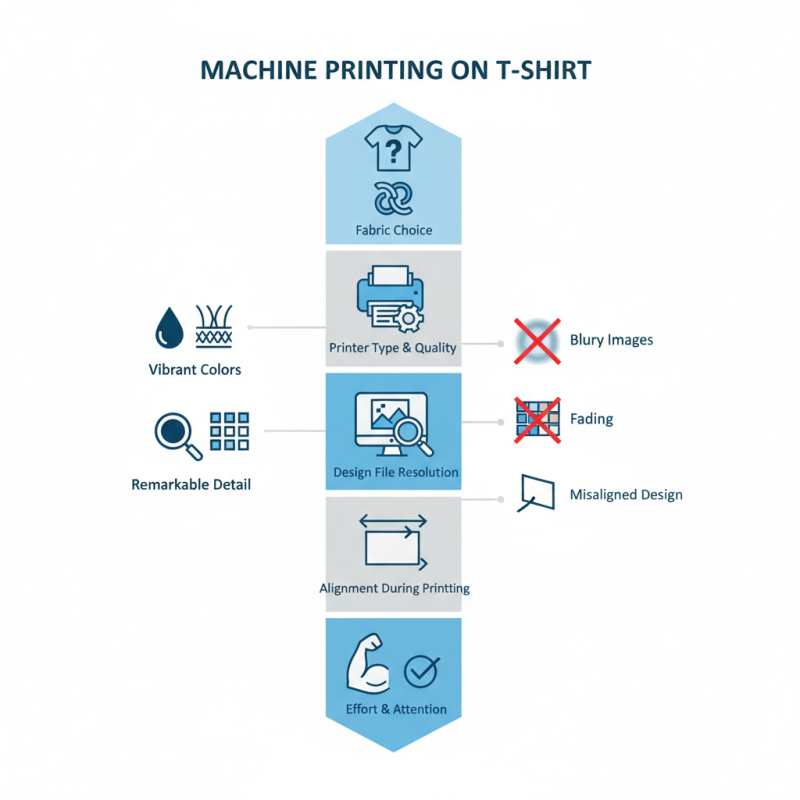
Many factors influence the final product. The choice of fabric is crucial. Some materials absorb ink better than others. You'll need a good printer too. Not all machines deliver the same quality. Inadequate settings can lead to blurry images or fading.
Pay attention to the design file as well. High-resolution images yield the best prints. Low-quality graphics can ruin your hard work. During the printing process, keep an eye on alignment. A misaligned design can spoil your vision. Inputting time and effort is essential for success. Embracing the challenges of machine printing can lead to fantastic results.
Choosing the Right T-Shirt Material for Printing
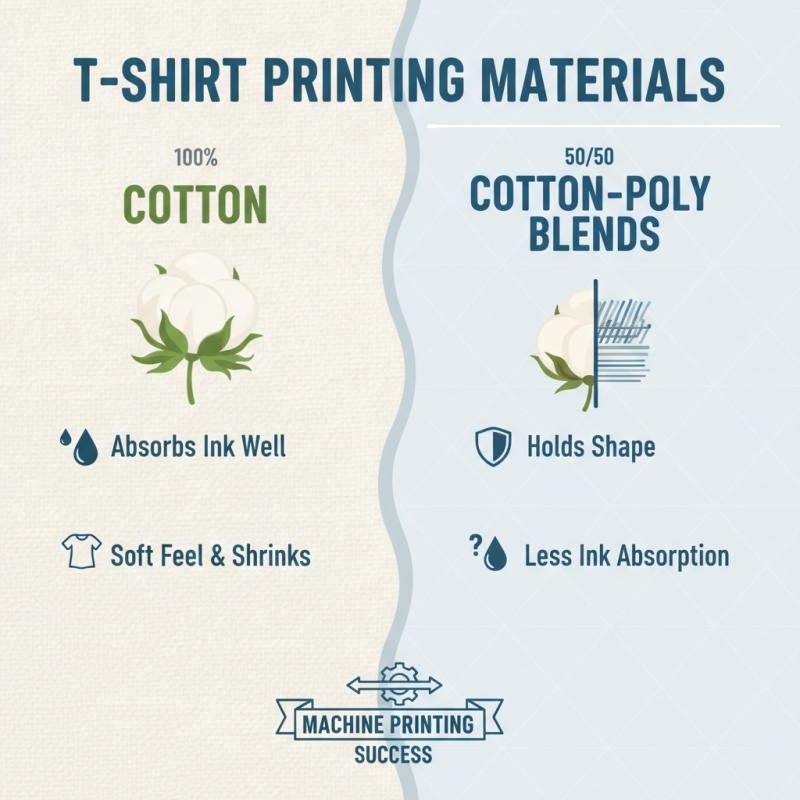
Choosing the right T-shirt material is crucial for successful machine printing. Cotton is a popular choice. It absorbs ink beautifully and feels soft against the skin. However, 100% cotton may shrink after washing. Blends like cotton-polyester are also great. These materials hold their shape better but might not absorb ink as well.
Another factor is the weight of the fabric. Lighter materials may not withstand heavy prints. They could fade or crack quickly. A mid-weight fabric strikes a good balance, providing durability without sacrificing comfort. Consider the texture, too. Smooth surfaces offer a clean print finish. Textured fabrics can create challenges. Ink may not sit evenly on these surfaces.
Testing is essential. Always run samples before the final print. This helps identify any issues with adhesion or color accuracy. Sometimes, prints may look vibrant on one material but dull on another. Be prepared to adjust your approach based on the results. The right material enhances your design, but the wrong choice can lead to disappointment.
Understanding Different Printing Techniques for T-Shirts
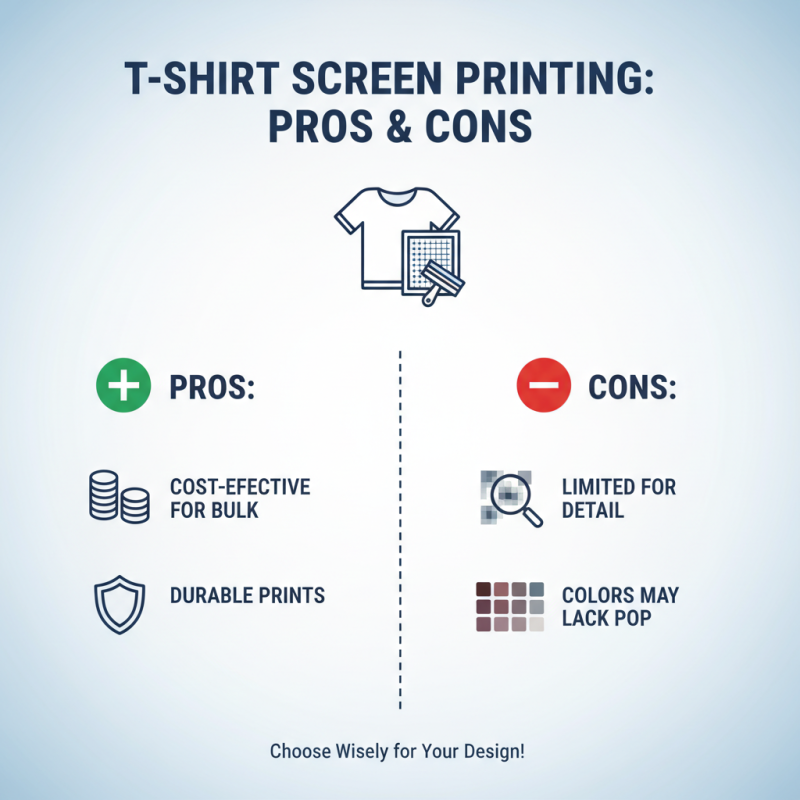
When it comes to printing on T-shirts, the technique you choose can significantly impact the final product. Screen printing is one of the most popular methods. This technique uses a mesh stencil to apply ink. It's cost-effective for bulk orders but can be limiting for detailed designs. Sometimes, the colors don't pop as expected, leading to disappointment.
Heat transfer printing is another option. This method uses heat and pressure to transfer a design from paper to fabric. While it allows for vibrant colors, the durability may not match screen printing. Users often notice fading after a few washes. It's crucial to test the method before committing to large orders.
Direct-to-garment (DTG) printing offers high-detail options. Imagine a full-color image printed directly on the fabric. However, not all fabrics work well with this technique. Sometimes, the ink doesn't adhere properly, resulting in uneven prints. Each method has strengths and weaknesses. Understanding these can lead to better choices for your T-shirt printing needs.
Preparing Your Design for Optimal Print Quality
Preparing your design for optimal print quality is essential for machine printing on T-shirts. Start with high-resolution images. Aim for at least 300 DPI. This ensures the details remain sharp when printed. Low-resolution images can lead to a pixelated look. Always choose a suitable file format, like PNG or TIFF, which supports transparency and high quality.
Tips: Avoid overly complex designs. Simplicity often translates better onto fabric. Too many details may get lost during printing. Test your design with a print-preview option. This helps clarify how colors will appear on the final product.
Colors matter too. Use the CMYK color model for print designs. Many designers forget this and use RGB, which can result in unexpected colors on fabric. Also, consider the fabric color. Dark fabrics absorb light differently. There might be a need for a white base layer. Always do a test print if possible. Understanding how your design interacts with the fabric is key.
How to Machine Print on T Shirt for Best Results? - Preparing Your Design for Optimal Print Quality
| Aspect |
Details |
| Design File Format |
Use vector formats like .ai or .eps for best scalability. |
| Color Mode |
Utilize CMYK color mode for accurate color representation. |
| Resolution |
Set resolution to 300 DPI to ensure high-quality prints. |
| Size Specifications |
Design should be sized according to the printing area, typically 11" x 14". |
| Font Choice |
Use bold, easy-to-read fonts that are at least 2 inches tall. |
| Mockup Creation |
Create a mockup to visualize how the design will look on the T-shirt. |
| Printing Technique |
Select the appropriate technique, such as screen printing or direct-to-garment. |
| Color Separation |
Ensure colors are separated correctly for multi-color designs. |
Setting Up Your Equipment for Machine Printing
Setting up your equipment correctly is crucial for successful machine printing on T-shirts. Begin by choosing the right type of printer. Direct-to-Garment (DTG) printers are commonly used for high-quality prints. They can produce vibrant colors and intricate designs. According to industry reports, DTG printing can yield up to 60% more detail than screen printing. However, these printers require careful setup.
Next, ensure your T-shirt fabric is compatible. Cotton blends work best for DTG. A fabric with at least 80% cotton allows the ink to adhere properly. Pre-treatment of the fabric is essential. This process helps the ink bond better, ensuring durability. Research shows that untreated fabrics can result in a 30% higher failure rate in print quality.
**Tip:** Always perform a test print. This step can save time and materials. Check for ink saturation and color accuracy. Adjust settings as needed.
Another important aspect is temperature and humidity control. Both factors significantly affect ink adhesion. Ideal conditions are around 70°F and 45% humidity. If your environment is too humid, the ink might run. Too dry, and it may not adhere properly.
**Tip:** Invest in a reliable heat press. This tool helps set the ink effectively. Consider calibrating it regularly. Proper maintenance prolongs its lifespan and ensures even heat distribution. Always reflect on your process for continuous improvement.
Printing Techniques Effectiveness Comparison
This chart illustrates the effectiveness ratings of various T-shirt printing techniques on a scale from 1 to 10. In this comparison, Screen Printing ranks the highest, while Sublimation shows the lowest effectiveness based on common user feedback.
Caring for Machine Printed T-Shirts to Preserve Quality
Caring for machine printed T-shirts is essential for keeping them looking fresh. After wearing your shirt, always turn it inside out before washing. This simple step helps protect the print from fading and cracking. Use cold water to wash these tees, as hot water can harm the print quality. Adding gentle detergent will help, but avoid bleach and fabric softeners.
Drying is crucial too. Instead of using a dryer, air dry your T-shirts. Lay them flat on a drying rack or hang them up. Heat from the dryer can cause prints to peel or warp. If you must use a dryer, set it on a low heat setting. Always remember to check the print after drying. Noticing issues early can save you from wearing damaged apparel.
Ironing printed T-shirts can be tricky. If you need to remove wrinkles, iron them inside out on a low setting. Avoid pressing directly on the print to prevent damage. Sometimes, people forget these tips, and the prints suffer. Keeping an eye on the details ensures your T-shirt stays vibrant and lasts longer.