7 Tips for Buying a Sleeve Printing Machine
Buying a Sleeve Printing Machine is a practical decision with long-term production consequences. The right equipment can improve color consistency, reduce material waste, and keep delivery schedules stable. The wrong machine may create uneven impressions, frequent setup delays, and expensive maintenance problems.
A careful buyer should examine more than speed and advertised resolution. Check the machine’s compatible sleeve materials, printing width, drying system, registration accuracy, and changeover process. Ask how operators clean the rollers after a long production run. A reliable supplier should provide test samples, documented specifications, training, and accessible technical support. These details matter when a machine runs beside a noisy compressor for eight hours.
Real production experience also reveals limitations that brochures often hide. A machine may perform well on one film but struggle with another surface. It may reach its rated speed only under ideal conditions. That is worth questioning. Small print shops should also calculate energy use, ink consumption, spare parts, software updates, and operator training before choosing a model.
Some buyers focus too heavily on the purchase price. That can be a costly mistake. A balanced evaluation considers safety features, build quality, after-sales service, and measurable output quality. The following seven tips will help compare machines with clearer expectations, stronger evidence, and fewer surprises. Even experienced buyers can miss one detail. The goal is not perfection, but a dependable investment that fits real production needs.
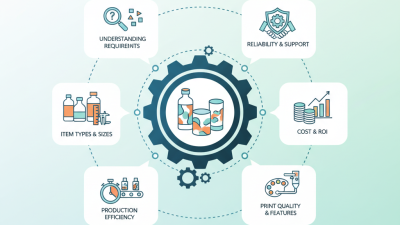
Define Your Sleeve Printing Requirements and Production Goals
Before comparing machines, define what you will actually print. Measure sleeve diameter, layflat width, repeat length, and material thickness. Record your current job sizes, not ideal future estimates. A machine that handles narrow samples may struggle with larger production runs. Small measurements matter.
Set clear production goals for each shift. Note expected output, color count, ink type, drying method, and acceptable waste. If sleeves support food, medical, or chemical packaging, confirm the required substrate and compliance documentation before purchase. Ask operators to describe changeover time, cleaning effort, and registration problems. Their daily experience often reveals more than a sales brochure. Keep samples from difficult jobs, including fine text, solid colors, and tight repeats. These samples can expose weaknesses during machine trials.
Calculate the cost of one finished sleeve, not only the machine price. Include setup waste, plates, inks, energy, maintenance, and unplanned downtime. Leave room for growth, but avoid paying for features you cannot use. I have seen teams select high-speed equipment, then lose time because drying or inspection could not keep up. That was poor planning. A slower, stable process may produce more sellable sleeves. Test the machine with your own materials and operators whenever possible. Record results under normal production conditions, then review the numbers before deciding. Even a careful plan can miss something. Be willing to revise it.
Compare Printing Technologies, Materials, and Machine Compatibility
7 Tips for Buying a Sleeve Printing Machine
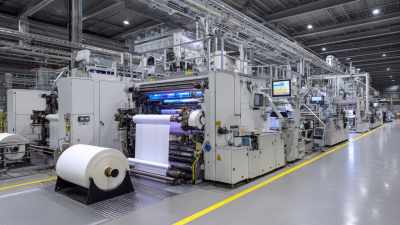
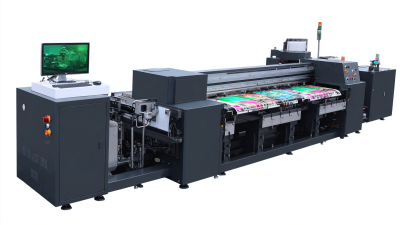
Start by matching the printing technology to your production volume. Flexographic systems suit long runs and stable colors, while digital inkjet handles short orders and variable designs. Gravure can deliver strong detail, but its cylinders increase preparation costs. Ask for printed samples on your actual artwork. A showroom sample may hide registration problems.
Check the sleeve material before comparing machine prices. PETG, PVC, OPS, and recyclable films can require different ink adhesion and drying settings. Confirm the supported film thickness, web width, roll diameter, and core size. Small mismatches cause expensive stoppages. Inspect curing performance under real line speeds. Some machines look fast on paper. They may slow down with dense coverage or fine text.
Review compatibility with your existing equipment. The printer should connect smoothly with unwinding, slitting, inspection, and sleeve-forming units. Measure floor space, power supply, ventilation, and maintenance access. Ask about color registration tolerance and automatic correction. Request test results, not only promises. I once underestimated operator training, and waste increased during the first month. That mistake still influences my buying checklist. Calculate ink, film, energy, labor, cleaning, and replacement-part costs over several years. A cheaper machine can become costly when downtime is frequent. Leave room for future materials and larger orders. Overspecification is wasteful, but limited compatibility is worse.
Verify Supplier Support, Safety Standards, and Future Scalability
7 Tips for Buying a Sleeve Printing Machine
Verify Supplier Support, Safety Standards, and Future Scalability
A sleeve printing machine is a long-term production investment, not a quick purchase. In my experience, supplier support often affects uptime more than the initial machine price. Ask how quickly technicians respond, where spare parts are stored, and whether remote troubleshooting is available. Request a written service agreement. Verbal promises can disappear.
Check the machine’s safety documentation before discussing output speed. Look for guarded moving parts, accessible emergency stops, clear warning labels, and safe access for cleaning. Confirm that the equipment meets applicable regional standards and can pass an independent inspection. Ask for operator training records and maintenance procedures. Details matter. A shiny enclosure means little without reliable protection inside.
Think beyond today’s orders. Review compatible sleeve materials, maximum widths, color capacity, and available automation modules. A modular machine may support future upgrades without replacing the entire system. Discuss software updates, data connections, and training for new operators. I once focused too heavily on present production volume and underestimated changeover time. That mistake made expansion harder than expected. Leave room for higher demand, new materials, and stricter quality checks. Also, ask the supplier to demonstrate a complete job, including setup, printing, inspection, cleaning, and fault recovery. Seeing those steps reveals weaknesses that brochures rarely mention.